I built an app recently. It reads all the newsletters piling up in your inbox, runs them through an LLM, and emails you back a short daily brief.
I built it the way a lot of things get built now. Next.js for the app, Clerk for auth, Supabase for the database, all wired together in a couple of days of momentum. That stack is designed to skip the boring parts since you drop in a component, paste an API key, and you have working login and a real database the same hour.
That is genuinely fantastic, low-effort. It is also exactly where the trouble hides, because "working" and "safe" are not the same thing, and these tools are so good at getting you to "working" that you never notice you skipped "safe." You woudn't see and errors, nothing will turn red. The app just works, so you move on to the next feature.
So I ran an experiment and pointed an AI coding agent at my own codebase and asked it plainly to find every way someone could read data they should not, break in, or abuse the app. Then I actually tested what it told me.
It found eleven vulnerabilities. A few were nothing but a few made me close the laptop and go for a walk. Below are the ones worth your time, and at the end, a checklist you can run against your own app this weekend.
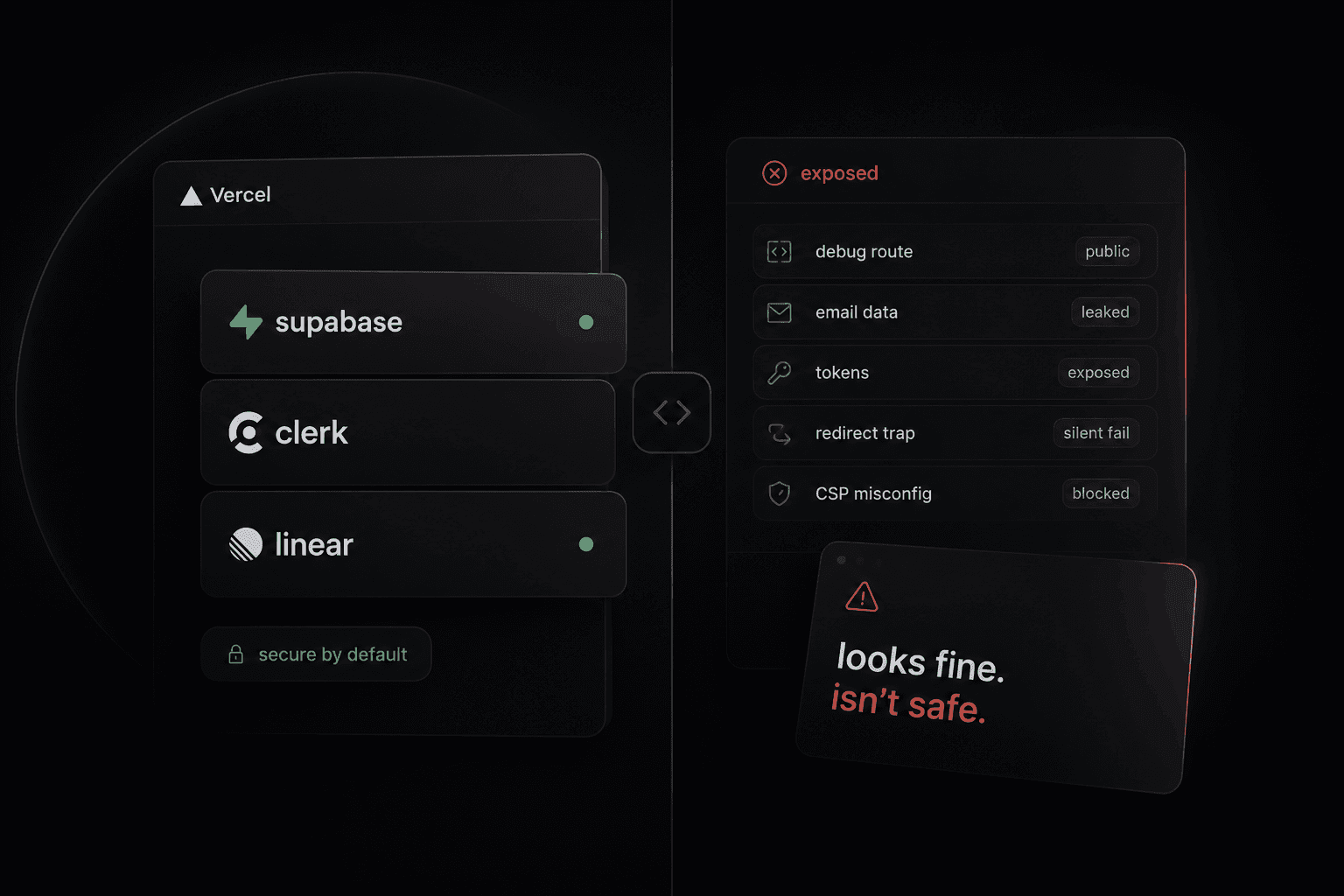
Working is not the same as safe, a split illustration
We will go through:
- The Supabase key that can read your whole database
- The debug route you forgot to delete
- Why deleting a user does not revoke their access
- The save that lies about working
- How an LLM turns into a phishing vector
- The security fix that broke production
1. The Supabase key in the browser can read your database
This is the big one. If you take nothing else from this post, take this.
Supabase gives you two keys. The anon key is meant to be public. It ships in your frontend JavaScript so the browser can talk to your database, and anyone who opens your site can copy it out of the page source. That is the design so there's no leak just yet.
The anon key is only safe because of a second thing called Row Level Security, or RLS. RLS is the rule that says this public key may read nothing unless you explicitly write a policy allowing it. Deny by default.
The trap is when you create a table in Supabase, RLS is off until you turn it on. Your app keeps working perfectly, because your server talks to Supabase using the other key, the service_role key, which bypasses RLS completely so you never notice and everything stays green.
The agent noticed that. It took my anon key straight from the page source and hit the REST API directly. It got back 368 rows across 9 users, and 154 of them still held the full raw body of people's emails. There wasn't any login, no exploit, just a public key and a default setting I never changed.
You can test yours in ten seconds:
curl -s -o /dev/null -w "%{http_code}\n" "https://<project>.supabase.co/rest/v1/<table>?select=*&limit=1" -H "apikey: <anon-key>"401 means you are locked down. 200 means anyone on the internet can read that table.
The fix is one line per table: alter table <name> enable row level security; with no policy, which means deny everyone. I then locked down every table at once by looping over pg_tables instead of listing them by hand, because listing by hand is how I had missed a couple in the first place.
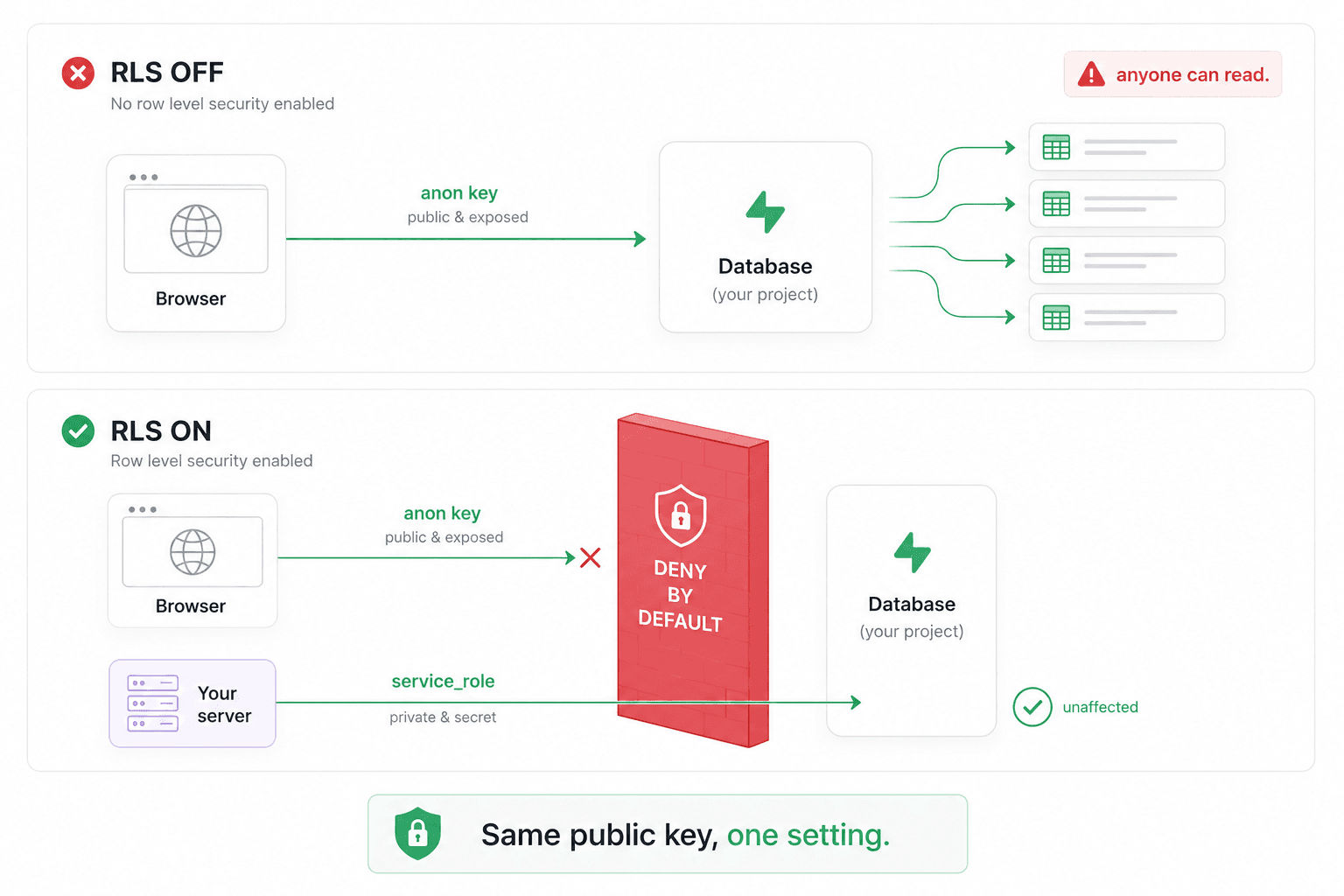
Row level security blocks the anon key while the server key still works
2. The debug route I forgot to delete
Early on, while wiring up the email side, I built myself a tiny debug endpoint that fetched a few messages and printed them, just to confirm the connection worked. It worked, and later I forgot it existed.
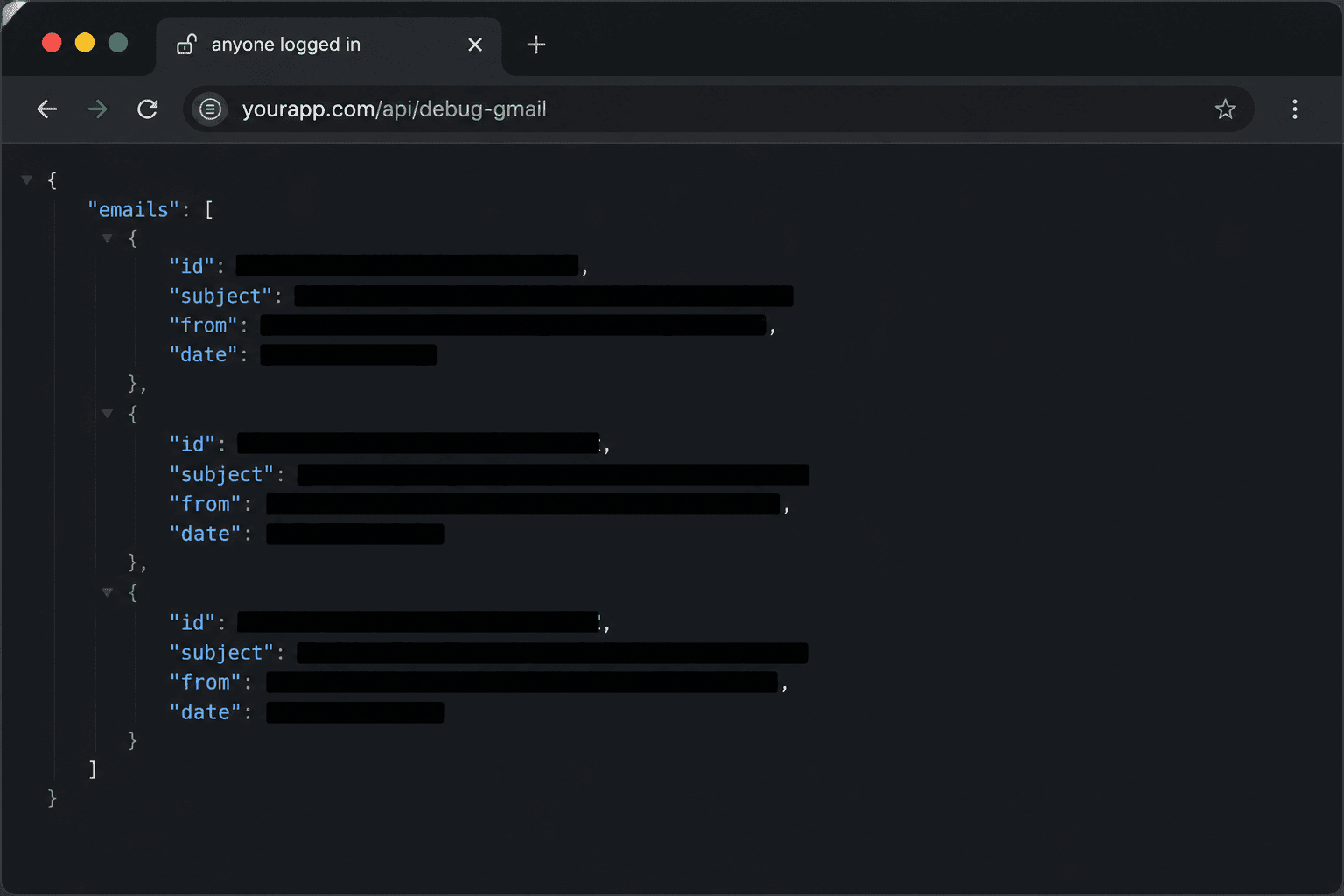
Debug route
To save myself a step, I had hardcoded my own account's token into it: refresh_token: process.env.GOOGLE_REFRESH_TOKEN. So the endpoint did not read the visitor's inbox, it read mine.
It sat behind Clerk auth, so it was not open to the whole internet, but it was open to every single signed-up user. Any of them could have loaded that URL and read the senders, subjects, and previews of my personal email.
The fix was to delete the route and revoke the token, so the credential behind it is dead even if a copy survives somewhere. The lesson is that the most dangerous code in your app is often the code you wrote to help yourself. A debug route, a temporary admin shortcut, a script with your own keys in it. It never gets the scrutiny real features get, because the moment it works you stop thinking about it.
3. Deleting a user does not revoke their access
This one I genuinely did not see coming.
When a user connects Google, my app receives a refresh token that lets it keep reading their newsletters until they disconnect. Over days of building I made test accounts, connected them, and later deleted them in Clerk. Sounds tidy.
Except deleting a user in Clerk does exactly one thing. It deletes them from Clerk. The permission the user granted lives on Google's servers, not mine, and removing my copy does nothing to tell Google to hang up. The agent found four stored tokens in my database, and three of them belonged to Clerk accounts that no longer existed. The accounts were gone, but my app still held live keys to read those three inboxes.
The fix is to make deletion and revocation happen together, and in the right order: await oauth2Client.revokeToken(token) first, then delete the row, so a failure can never strand a live grant you no longer have the token to revoke.
Deletion is not revocation. One tidies your house and the other cuts the wire. Almost every app that connects to a third party has this seam, and "what happens to that connection when the user leaves" is a question most of us never ask.
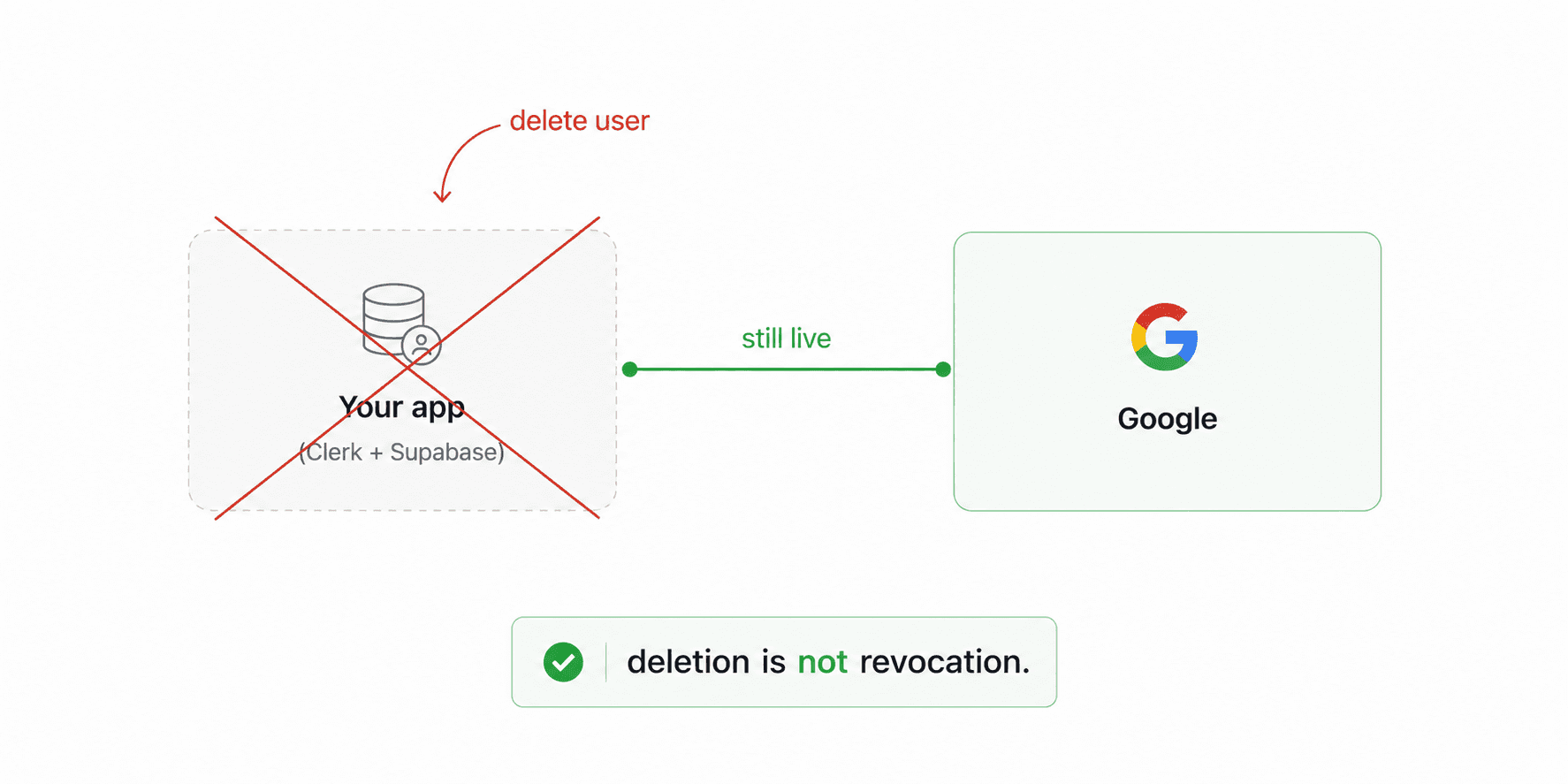
Deleting the user locally leaves the Google connection still live
4. Every save said it worked. Some were failing silently.
My app has optimistic UI. Click bookmark and the icon fills in instantly while the save happens in the background. If it works, you never notice, which is the point.
The agent looked at how those saves were checked and found the usual pattern, if (res.ok) { /* assume saved */ }. That looks completely correct. Here is why it lies.
When your Clerk session expires, the middleware does not return an error to your fetch. It returns a redirect to the sign-in page, and fetch follows redirects silently. The sign-in page loads fine and returns 200, so res.ok is true for a request that never reached your save handler. The write vanishes, and the user only finds out on refresh when the bookmark is simply gone.
The fix is to stop trusting the surface answer and check if (res.redirected), which catches the bounce to the login page and lets you treat it as the failure it really is. res.ok means the response succeeded, not that the thing you asked for happened, and with auth middleware in the mix those two come apart.
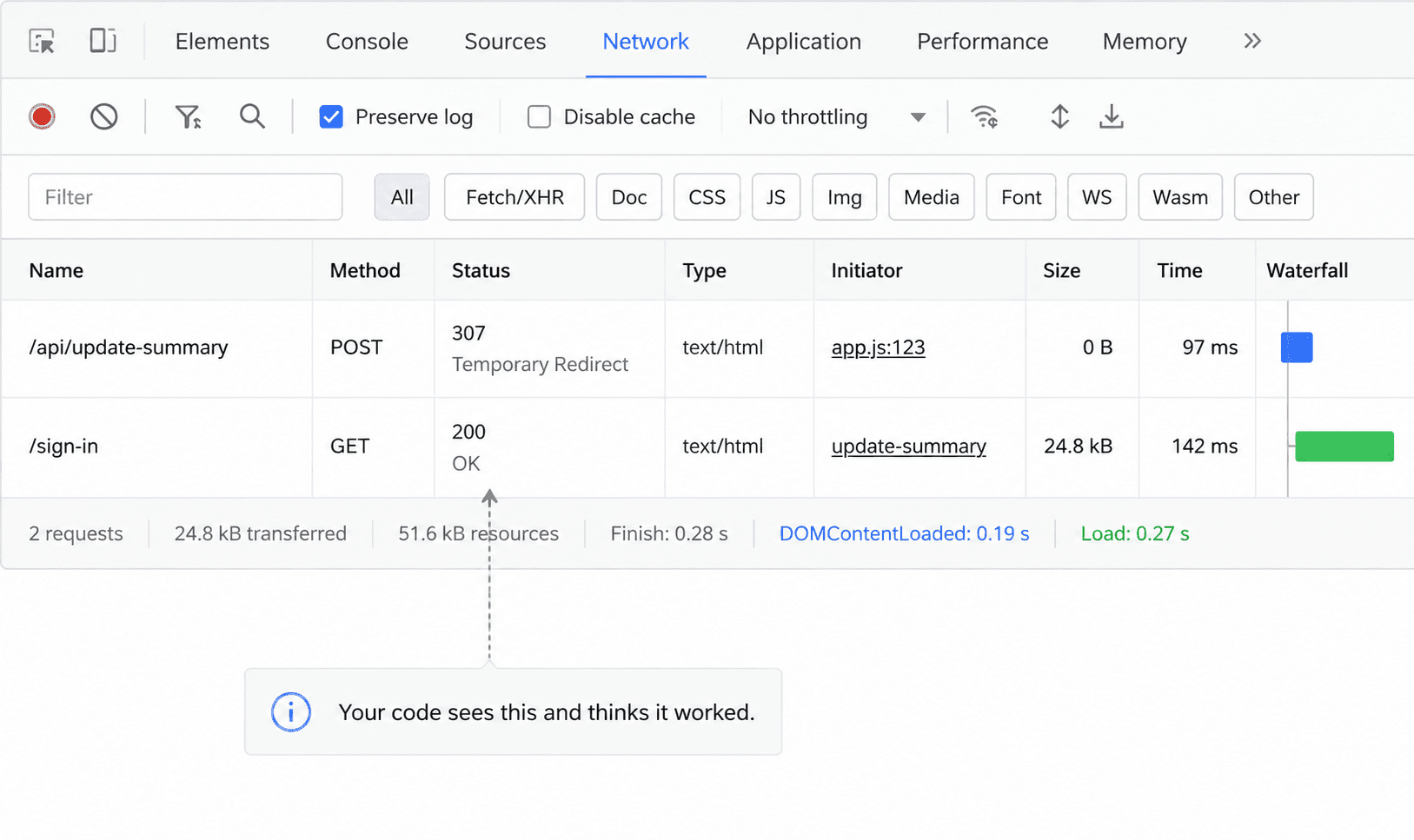
A request redirected to sign-in still returns 200 and looks successful
5. A stranger could phish my users through my own app
This is the most modern bug of the batch, and it is the shape of thing we are all going to hit more often.
My app decides whether an incoming email is a newsletter by checking for the List-Unsubscribe header. Then it sends the body to an LLM to summarize, and drops the result into the daily brief email that goes out from me, branded as mine, that people trust.
Two problems compounded here. Anyone can send an email that carries a List-Unsubscribe header, so a stranger can get their content into my pipeline. And that content goes to an LLM whose output can be steered by its input, while my code was dropping the model's output straight into the outgoing HTML email, links and all, without escaping it.
So in principle a stranger could email my user a crafted newsletter, influence the summary, and place an attacker chosen link inside a trusted email with my name on it. To be honest about the ceiling, email clients strip scripts, so this is link injection and phishing rather than a full takeover. It is still bad, because the entire value of the brief is that people trust the sender.
The fix is to treat model output like any untrusted input: escapeHtml(modelText) before it enters the email, and a safeUrl() check that rejects anything that is not a normal http or https link. LLM output is not automatically safe. If a stranger can influence what goes into the model, treat what comes out of it with the same suspicion you would give anything a stranger typed.
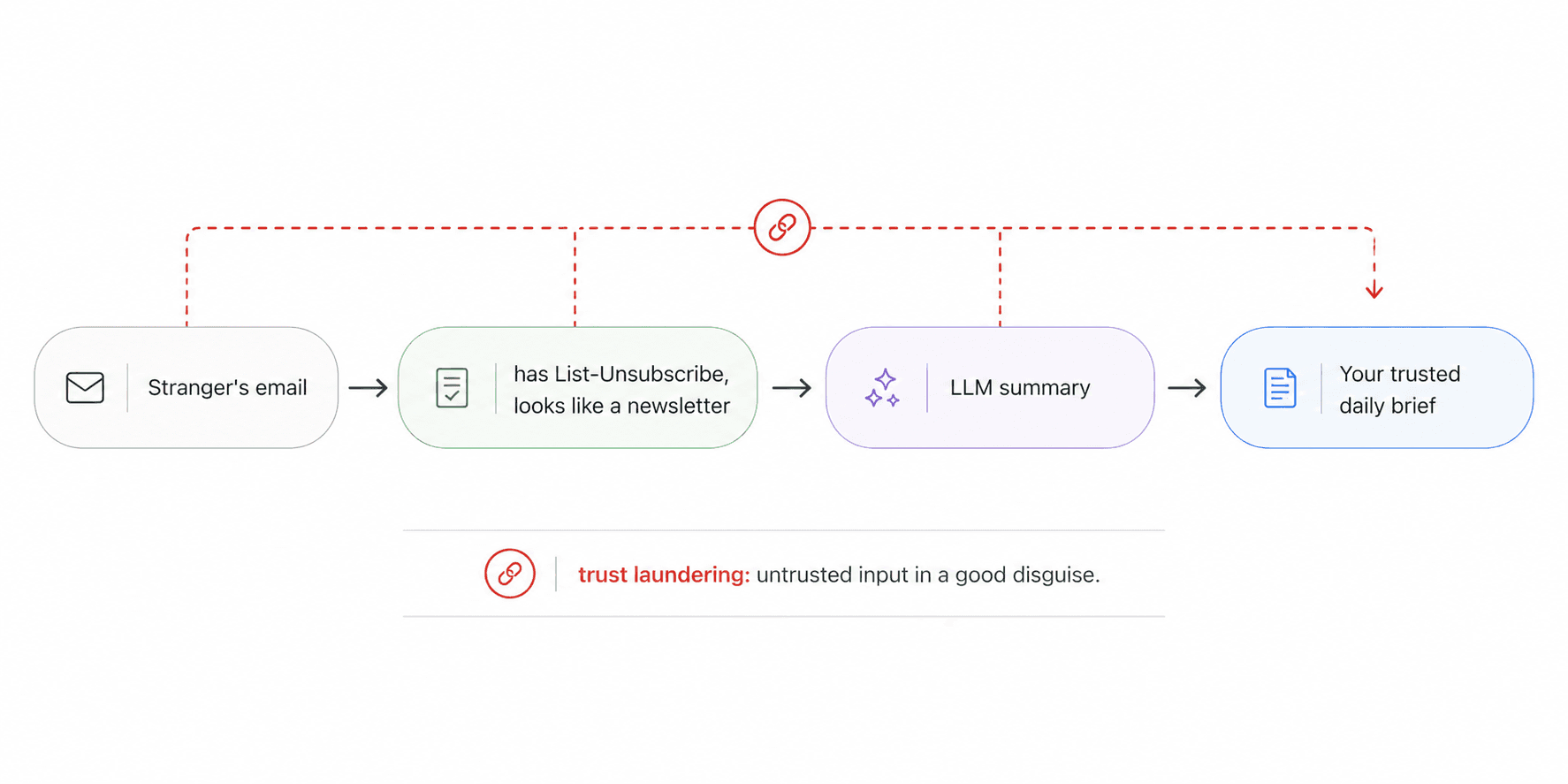
Untrusted email flows through the LLM into a trusted outgoing email
The smaller ones, still worth thirty seconds each
The agent also flagged, and I fixed:
- OAuth tokens stored in plain text. Now encrypted at rest, so a database leak alone does not hand over live inbox access.
- A feedback link authenticated by base64. Base64 is encoding, not authentication, so anyone could forge it. Now signed.
- A share page that served every record by URL. No ownership check, so every summary was readable whether shared or not. Now opt-in.
- CSRF left wide open by a leftover
allowedOrigins: ["*"]on server actions. Deleted. - Two tables I forgot existed, still exposed after my first lockdown. Fixed by walking
pg_tablesinstead of trusting my memory.
The vibecoding security checklist
If you are shipping fast on Clerk, Supabase, and Next.js, here is the list I wish I had run before I had users. Most of these are one time, sub five minute checks.
Supabase
Clerk and auth
Secrets and tokens
The stuff you forgot
Final Thoughts
Here is the thing I want to say plainly. Every account that was ever exposed in all of this was a test account I made myself. No real person's inbox, no real person's data. I got to find and fix all of it while the only person I could have hurt was me.
What actually changed my mind about the exercise was realizing why I had missed these in the first place. I wrote this app and have read every line more times than I can count, and that is the problem. When you have read your own code a hundred times, your eyes stop seeing it. You do not check whether RLS is on, because you remember intending to handle it, and intending feels identical to having done it.
An AI reviewer has no memory of intending anything. It does not get bored on the tenth read, and it does not assume the boring parts are handled. It just goes and checks the thing you would swear you already did. That is the real value, not that it is smarter than me, but that it is a fresh set of eyes that never gets tired, pointed at code I had gone blind to.
You can do this today. Point a coding agent at your repo and ask it plainly where someone could read data they should not, what happens to connected accounts when a user deletes themselves, and what you are trusting that you should not. Then test what it says, because it gets things wrong too. A couple of mine were nothing but the real ones were very real. Worst case you spend an afternoon confirming you are solid, and best case you find the setting you never turned on before someone else does.
References
- Supabase Row Level Security: how RLS policies work and why the anon key is safe only with them enabled.
- Supabase API keys: the difference between the anon key and the service_role key.
- Clerk and Content Security Policy: the frontend API hosts Clerk needs allowlisted, and how they differ by environment.
- Google OAuth token revocation: revoking a granted connection from your side.
- OWASP prompt injection: treating model output as untrusted input.