The Pillar
Week 2 was about making Bite look and feel like a real app. Week 1 got auth, database, and deployment done. This week I wanted a proper dashboard, recipe cards, and the ability to import recipes from a URL.
Building the Dashboard
Started with a shadcn sidebar. Dashboard, My Recipes, Create Recipe, Categories, Favorites, Settings. Recipe cards show the image, title, cuisine, cook time, and servings. Even with placeholder images, the layout felt in place.
Then came search and filtering. Real-time search across title, cuisine, and category. Multi-select filters, sort options, and active filter pills you can individually remove. This stuff seems simple but there's a lot of small decisions — where does the clear button go, should filters persist across navigation, what do empty states look like. It's hard to notice these things until they're wrong.
Recipe cards, search, and filters
Real-time search across title, cuisine, and category. Multi-select filters with active filter pills you can individually remove.
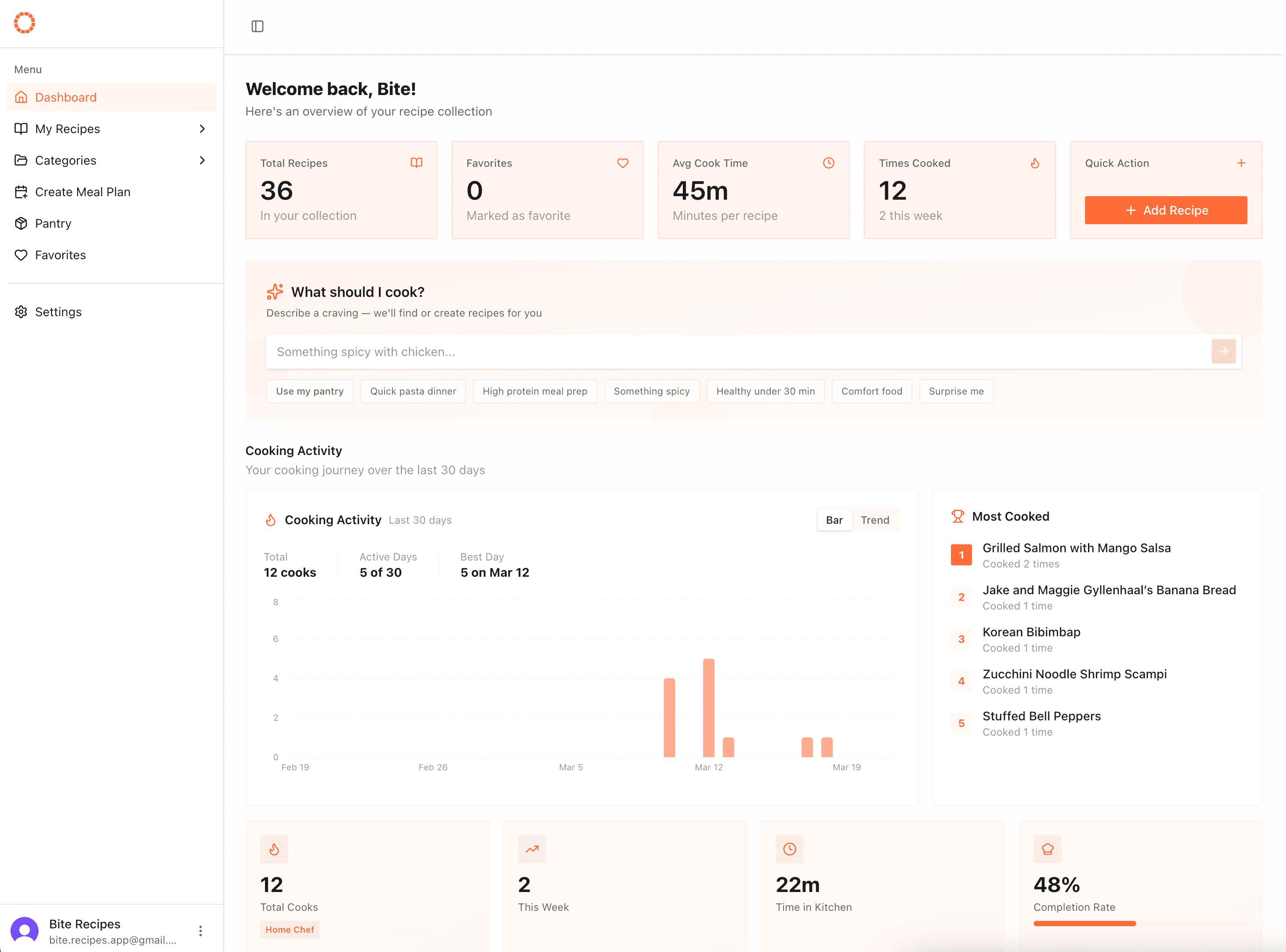
Recipe cards, search, and filters
Real-time search across title, cuisine, and category. Multi-select filters with active filter pills you can individually remove.
URL Import with Schema.org
Most recipe sites already embed structured data in their HTML using a standard called Schema.org. It looks like this — hidden in a <script> tag you'd never notice:
{
  "@type": "Recipe",
  "name": "Chocolate Chip Cookies",
  "recipeIngredient": ["2 cups flour", "1 cup butter"],
  "recipeInstructions": ["..."],
  "cookTime": "PT15M"
}
That's the actual data sitting on AllRecipes, Food Network, and most major recipe sites. No AI needed — just read it.
Parsing it is surprisingly clean. I use Cheerio (server-side jQuery, basically) to find the script tag and pull the data out:
const $ = cheerio.load(html);
const jsonLd = $('script[type="application/ld+json"]').text();
const schema = JSON.parse(jsonLd);

const title = schema.name;
const ingredients = schema.recipeIngredient;
Where Gemini comes in is for the edge cases — cookbook photos, handwritten recipes, or sites that don't follow the standard. Schema.org handles ~90% of the internet cleanly and instantly (no API cost, no latency). Gemini handles the rest, taking something unstructured like a photo and returning the same clean shape:
// Same output format, different input path
{
  (title, ingredients, instructions, servings, image);
}
The preview step before saving lets you catch anything that parsed weirdly before it hits your recipe list.
Paste a link, get a recipe
Cheerio parses the schema.org JSON-LD already baked into most recipe sites. Preview before saving so nothing lands wrong.
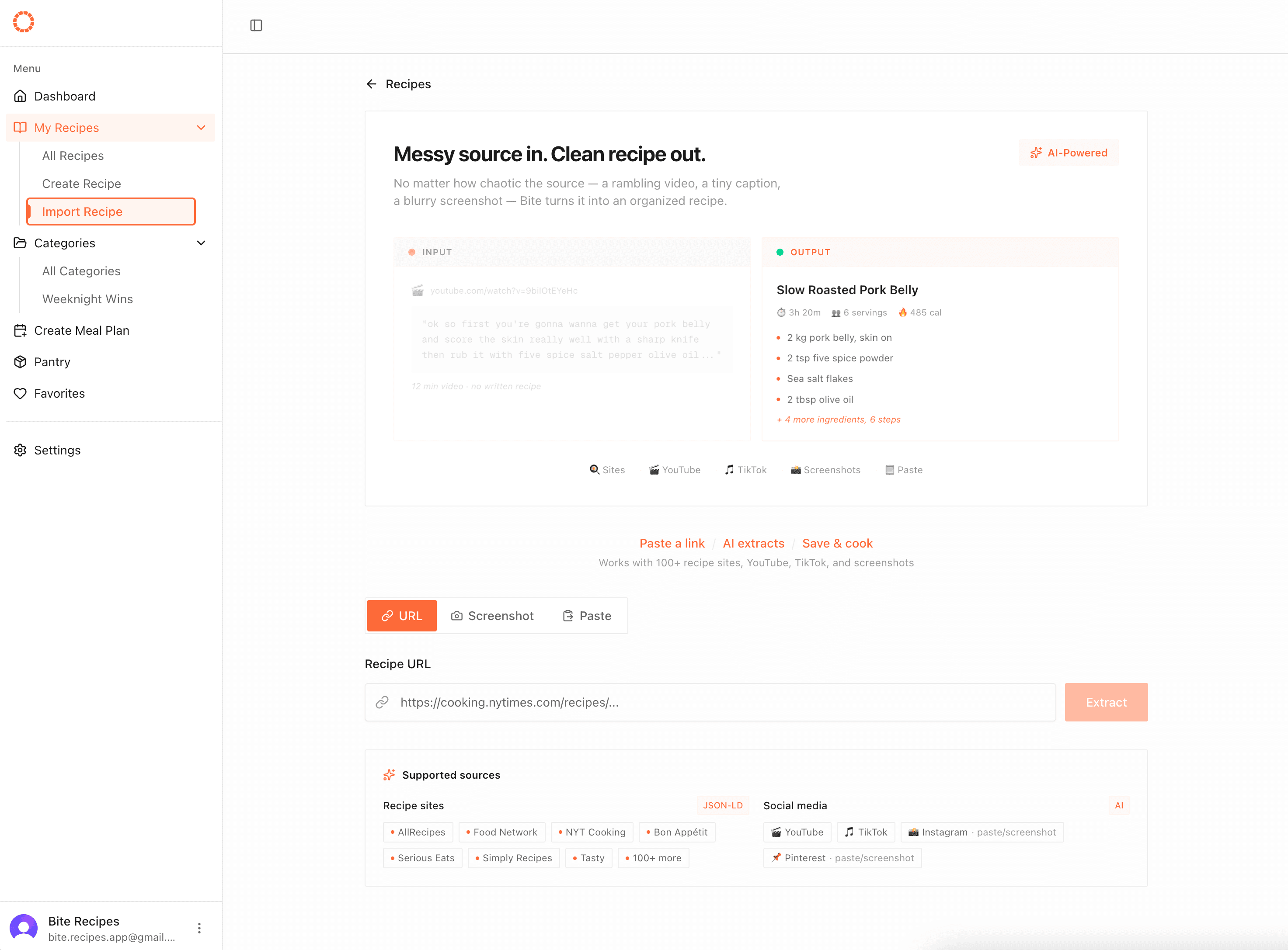
Paste a link, get a recipe
Cheerio parses the schema.org JSON-LD already baked into most recipe sites. Preview before saving so nothing lands wrong.
Favorites & Categories
Favorites needed optimistic updates to feel right. Click the heart, it fills immediately, server catches up in the background. Simple idea, but I went through three implementations before one worked without flickering. React's useOptimistic kept reverting the state on revalidation which was annoying. Ended up using a cache Map pattern instead — store the optimistic state in memory, sync when the server confirms. Less clever, more reliable.
Categories got CRUD operations with a pinning system so your most-used categories stay at the top as well as in your dashboard. The whole flow from creating a category to assigning recipes to filtering by it works end to end.
Pin your most-used collections
Full CRUD with a pinning system. Pinned categories surface on the dashboard for quick access.
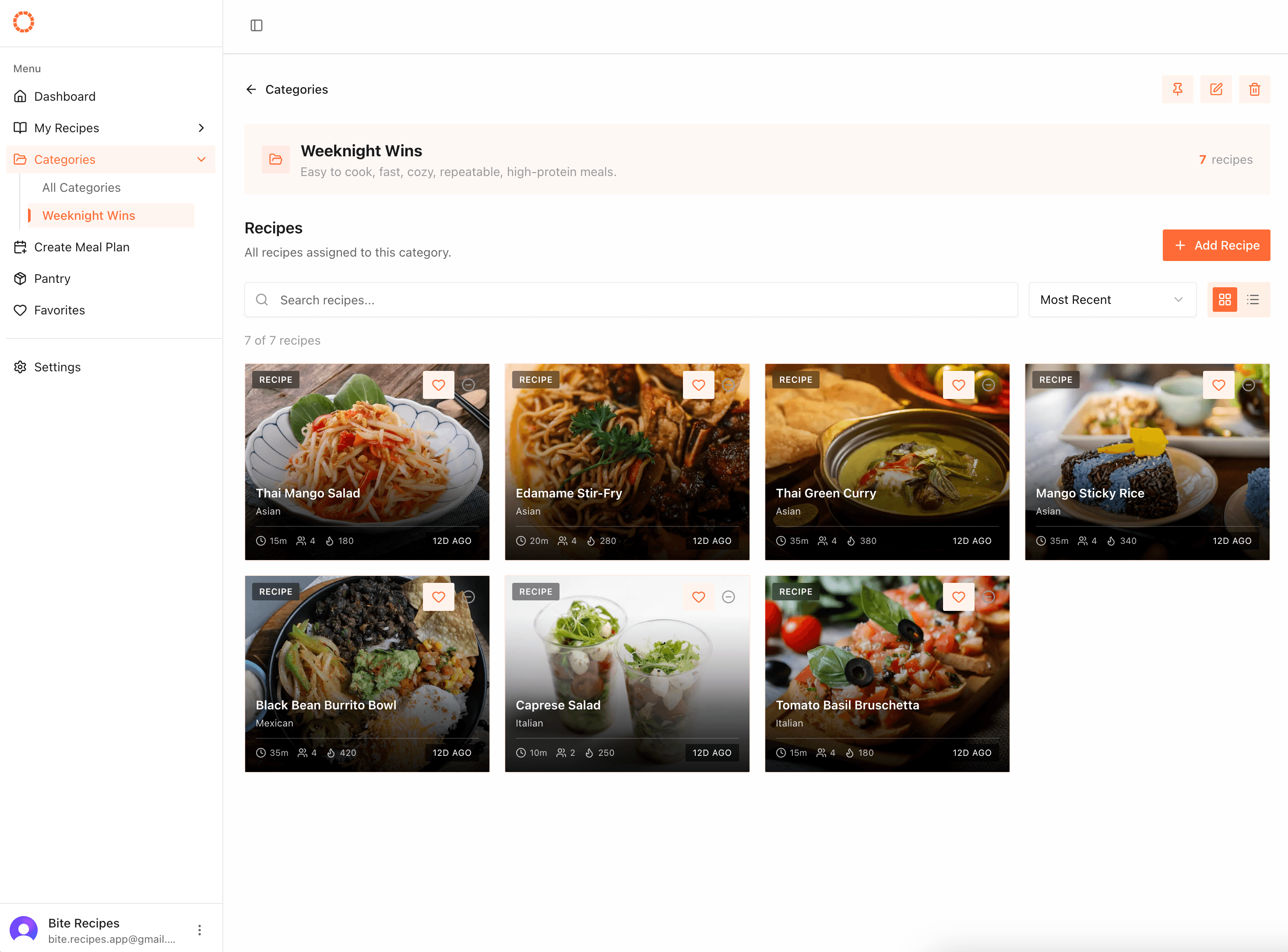
Pin your most-used collections
Full CRUD with a pinning system. Pinned categories surface on the dashboard for quick access.
Technical Decisions
Schema.org over AI for import: Could've used Gemini for recipe parsing, but 90% of recipe sites already have structured markup. Didn't see a reason to burn API calls when the data is right there.
Optimistic updates with cache Map: useOptimistic wasn't behaving how I expected. A plain Map tracking pending states was simpler and actually worked.
Radix UI primitives: Used shadcn's Select (built on Radix) for filter dropdowns. Better UX than native selects, consistent styling, accessible by default.
Server-side image proxy: Recipe sites block direct image hotlinking. Built an API route that fetches images server-side with proper headers and forwards them to the client.
Thoughts
Week 2 had more surface area than I expected. Infrastructure is finite — auth and database are done once. But features keep expanding. Every feature touches UI, server actions, database queries, error handling, and edge cases.
The relational database from Week 1 paid off already. Adding favorites was just as easy as adding a boolean on the recipes table. Categories were a new table with a junction. No major schema changes.
Next week is meal planning — the feature that makes Bite more than just a recipe box.